

MackinVIA
MackinVIA Version: 7.2.0
Please note: An app update is required to take advantage of these new features and fixes.
Badges and Achievements – An exciting new feature is the ability for students and staff to earn badges based on a variety of achievements such as checking out titles, returning a book early, and adding a note, highlight, or bookmark.
Badges for recently earned achievements are displayed on a new Profile page, which can be accessed by clicking on the user icon in the upper right. This page also includes the Administrator link for staff and the Change Site option for those with the ability to change MackinVIA locations. To update profile information, simply click on the Edit Profile button.
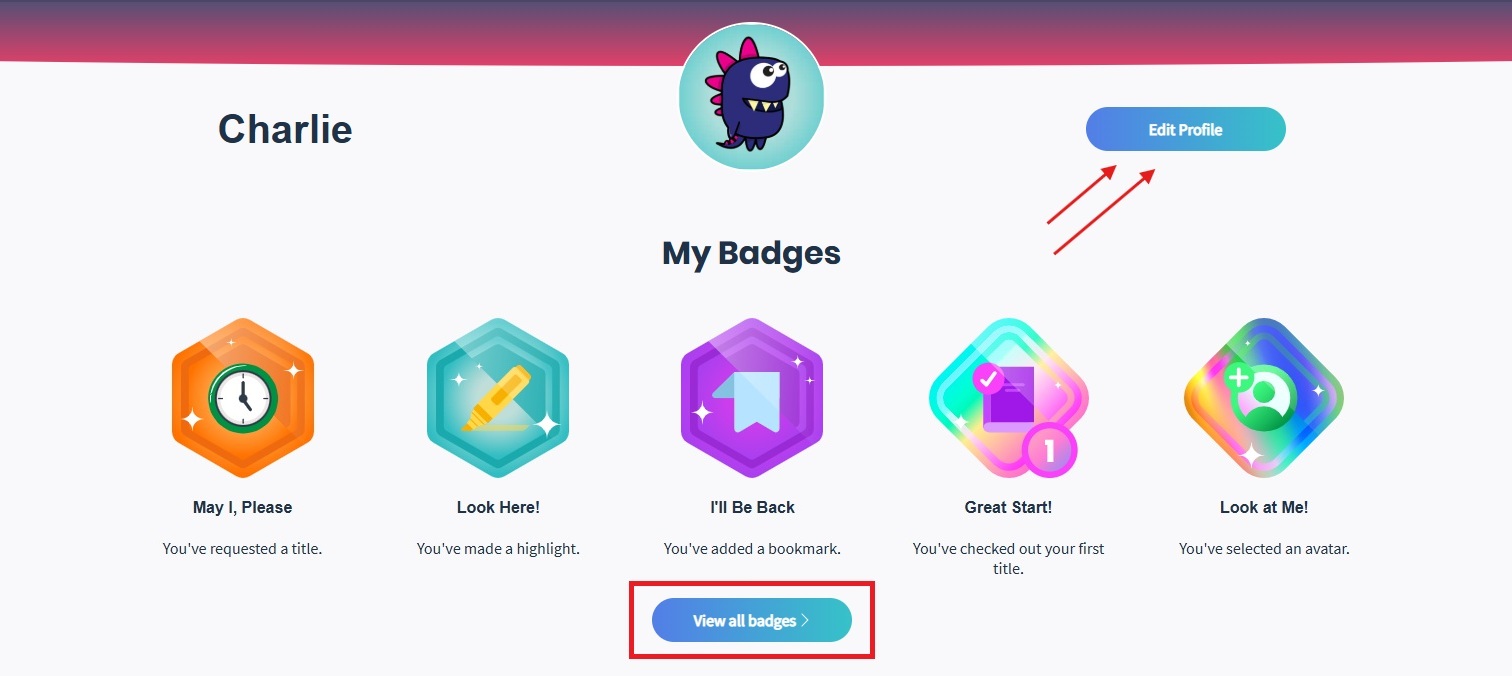
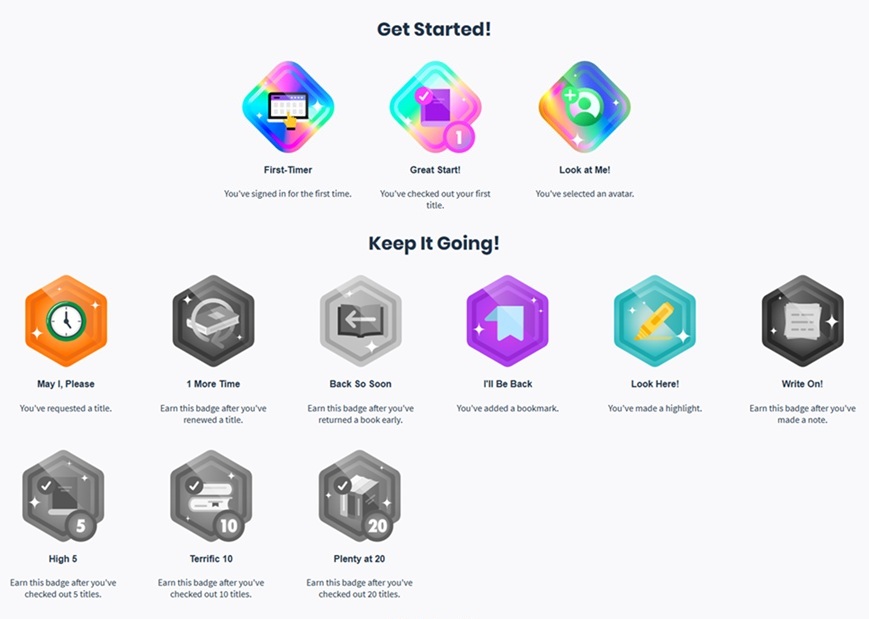
From the new Profile page, select the View all badges button to see all available badges and corresponding achievements. Badges/achievements are split into categories – Get Started! and Keep It Going!. Earned badges will be in full color, while unearned badges will be grayed out.
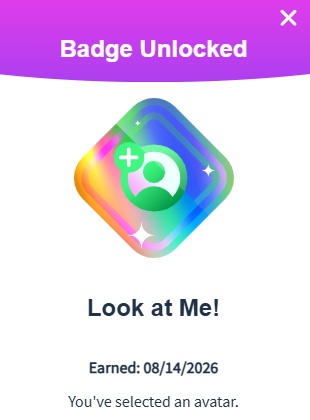
Click on a badge to view more information. Earned badges will show the date it was achieved.
When a new badge is earned, a notification will be present on the user icon. Additionally, a push notification will be sent if allowed for the account and the browser/device.
Additional Notes:
- Badges will be earned for achievements going forward, starting the date of release. Any previous activity, such as checkouts, will not be counted.
- If checkouts and requests are disabled for the account, the corresponding badges for those achievements will be suppressed.
- Unique titles are not enforced for checkout achievements.
Push Notifications – The push notification system has been updated to support badges. If notifications are enabled for the account, students and staff will receive alerts for titles on hold and new badges earned in both the browser and the app. Please note: Users must also allow notifications on their browser and/or device. Click Open or View from the notification to go to the Requests page for titles on hold or the Profile page for new badges earned.

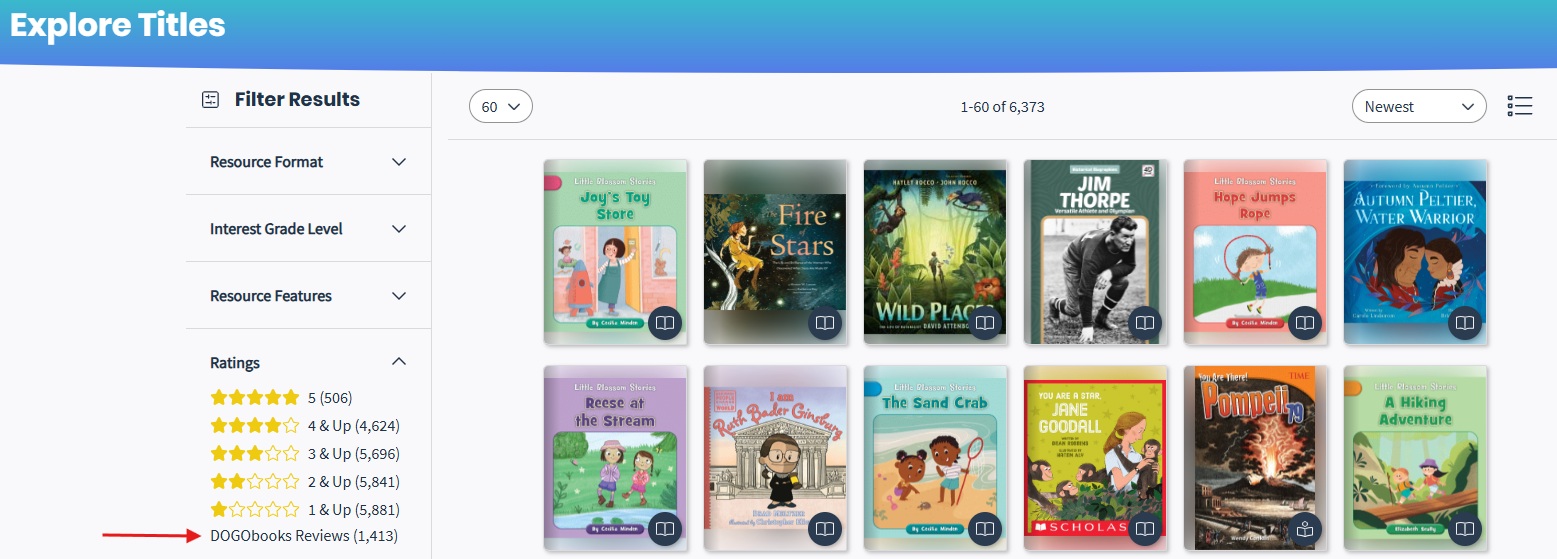
DOGObooks Reviews filter – A filter for resources with DOGObooks reviews has been added to the Ratings section.
Sign Out message in the app – A confirmation message has been added to the app on Sign Out if resources have been downloaded. This message lets users know that all downloaded titles on the device will be returned to the cloud.
MackinVIA Admin
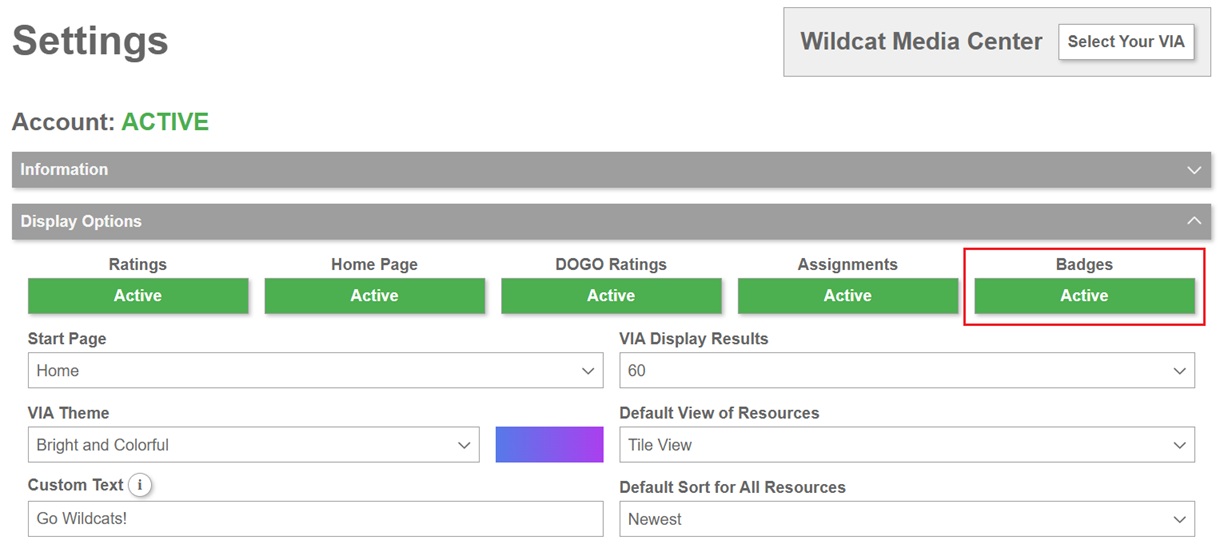
Badges Setting – To support the Badges feature, a new setting is available on the Display Options panel of the General Settings page. Badges will be active by default, but administrators can choose to deactivate the feature for their account if desired.
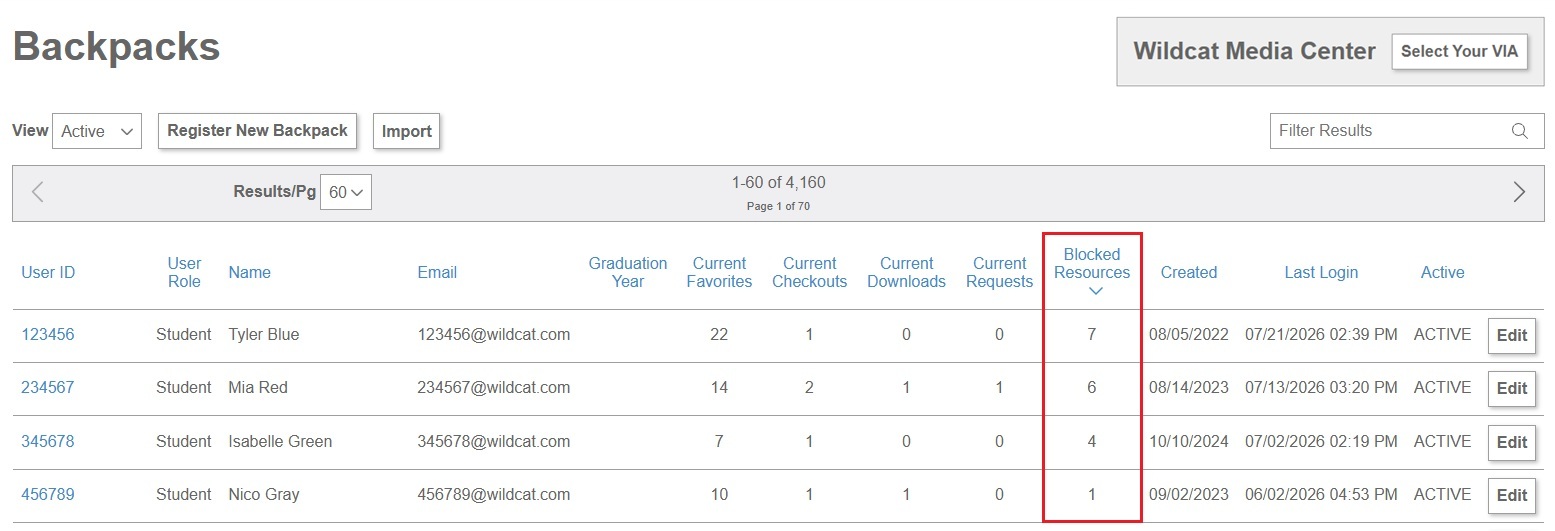
Blocked Titles on Backpacks page – We’ve added the total number of blocked resources for each user on the Backpacks page. This allows administrators to easily identify those with blocked resources without having to click on each user. Please note: This column will be hidden if User Activity is disabled for the account.
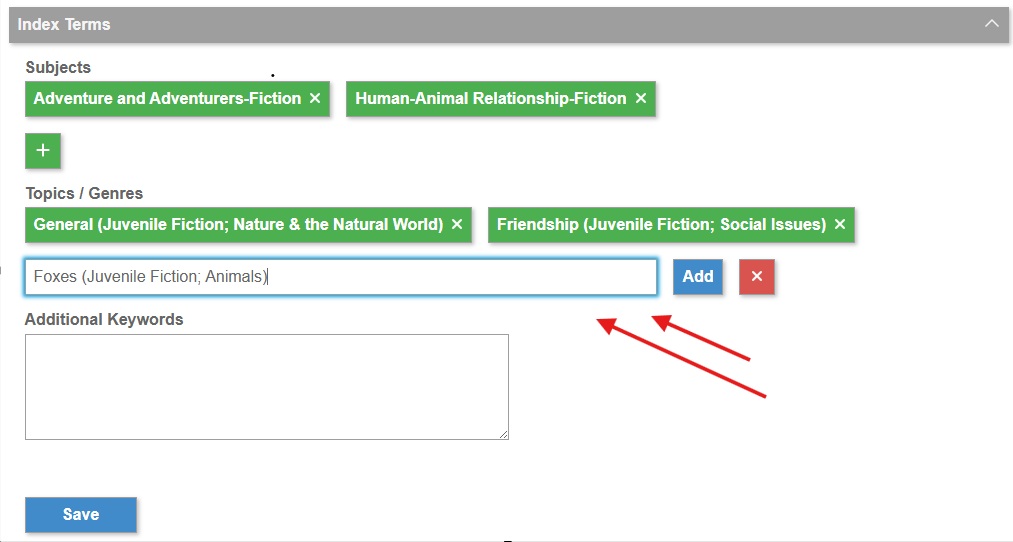
Edit Record updates – The pre-populated results for Co-authors, Series, Subjects, and Topics/Genres can now be modified on the Additional Details and Index Terms panels when editing a resource. Additionally, administrators can add their own term(s) without needing to choose a pre-populated value.
Search by ISBN – Administrators can now search for resources by ISBN on the Scope = Location Usage report and the Subscriptions report.