

MackinVIA
MackinVIA Version: 7.1.0
This release contains exciting, new MackinVIA enhancements including an updated user interface with streamlined navigation, improved searching capabilities, and the ability for students and staff to choose a fun avatar, along with various optimizations and technology upgrades to support performance.
Please note: An app update is required to take advantage of the new and improved MackinVIA. Users that open the previous version of the app will be prompted to upgrade.
User Interface update – The user interface has been updated with new styles, a bright and colorful theme, and streamlined navigation. The result is a more engaging, contemporary platform.
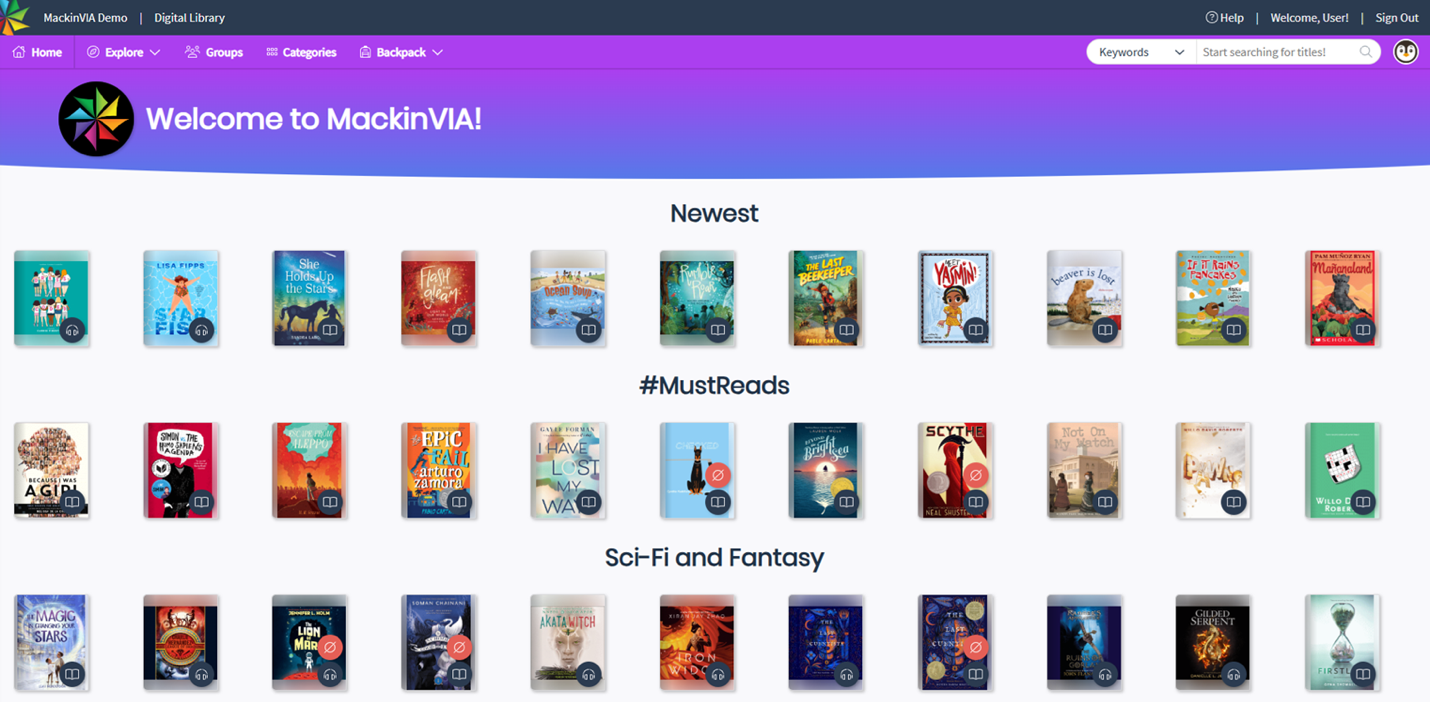
Highlights:
- Navigation has moved to the upper left corner and encompasses the Home page, a new Explore menu, Groups, Categories, and the Backpack menu. The Explore menu includes all resources and applicable resource formats. Read-alongs are now present in this menu for easy access to eBooks with this feature.
- The Backpack has been refreshed with a new landing page. Simply click on any of the options (Favorites, Checkouts, Requests, etc.) to navigate between them.
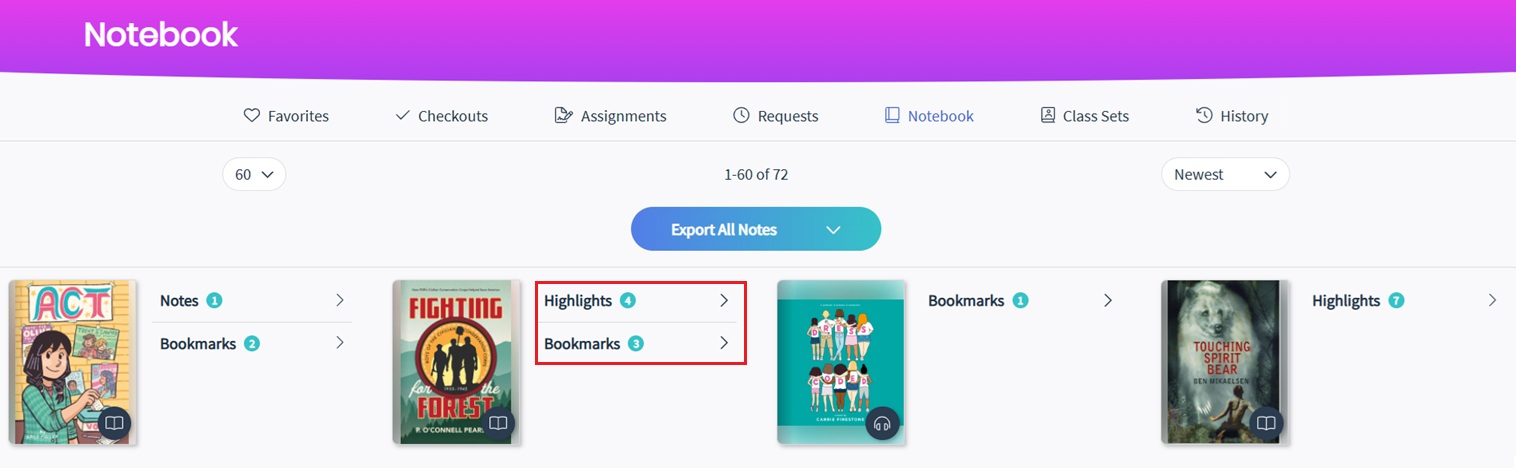
- Notes and highlights are now displayed per resource in the Notebook, making it easy to view all annotations for each resource. We’ve also included bookmarks. Total counts for each annotation type are displayed. Click on any of the types to go to the Resource Details page and view, edit, or delete annotations.
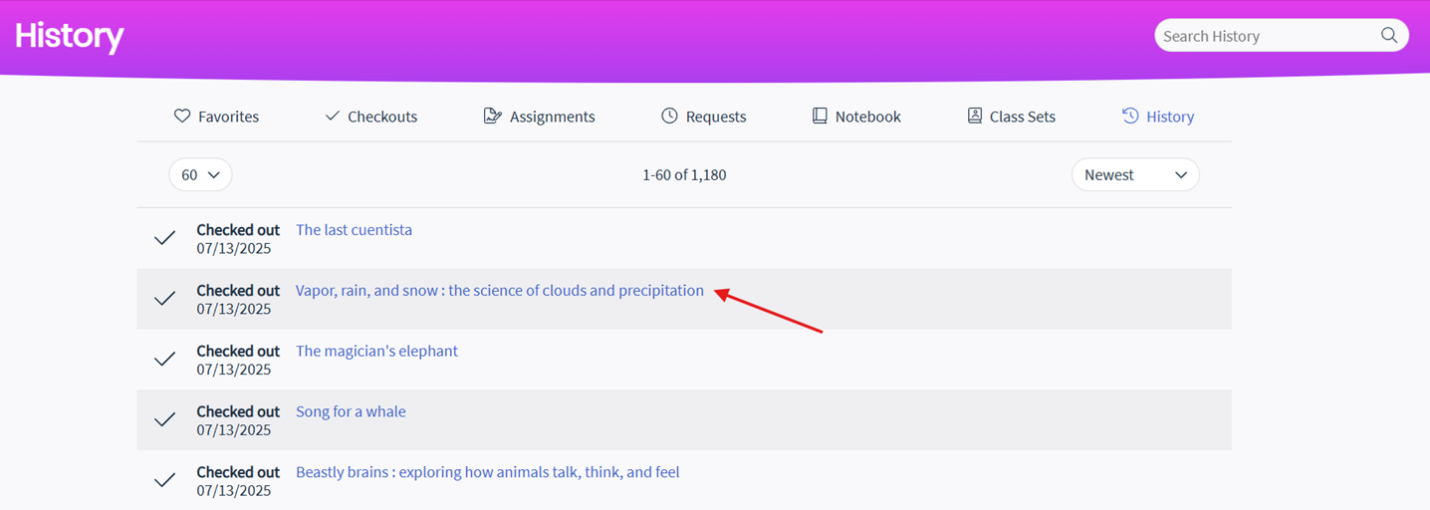
- The Backpack also includes a new History page to view past checkouts. Online reads will be included as checkouts. Click on a title to view the Resource Details.
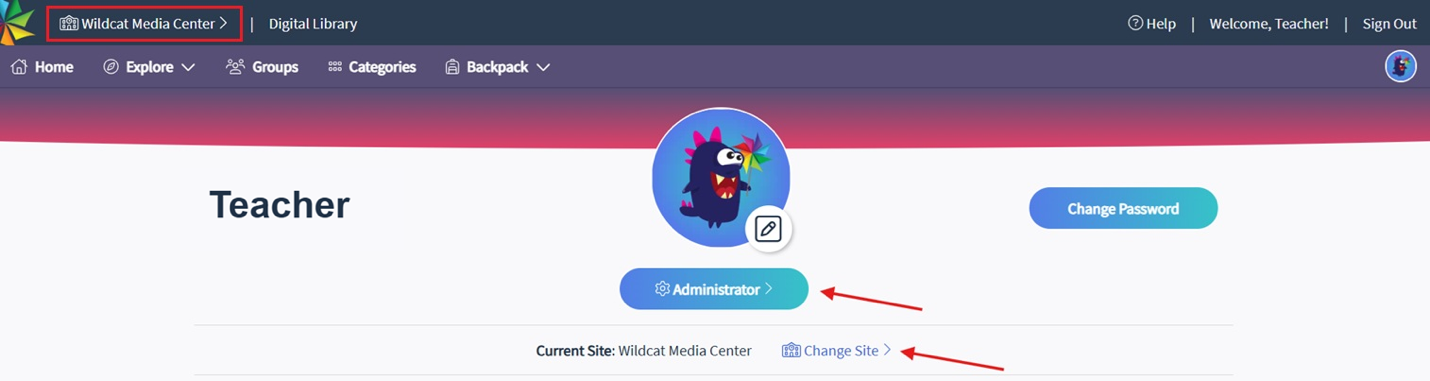
Please note: Staff features, including access to the Administrator site and the ability to change the MackinVIA location, have been moved to the Profile page. The Change Site feature is also available from the school’s name in the upper left corner.
Improved Searching – The new Easy Search allows students and staff to search by keywords, title, author, series, subject, or topic/genre. The search box autocompletes with suggestions based on resources in the MackinVIA account.
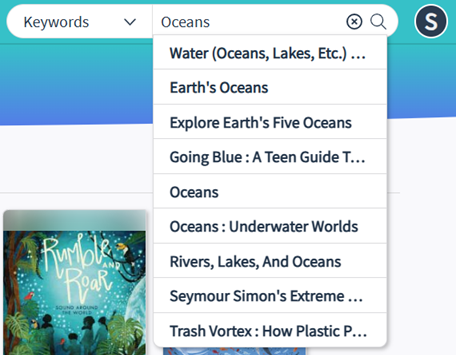
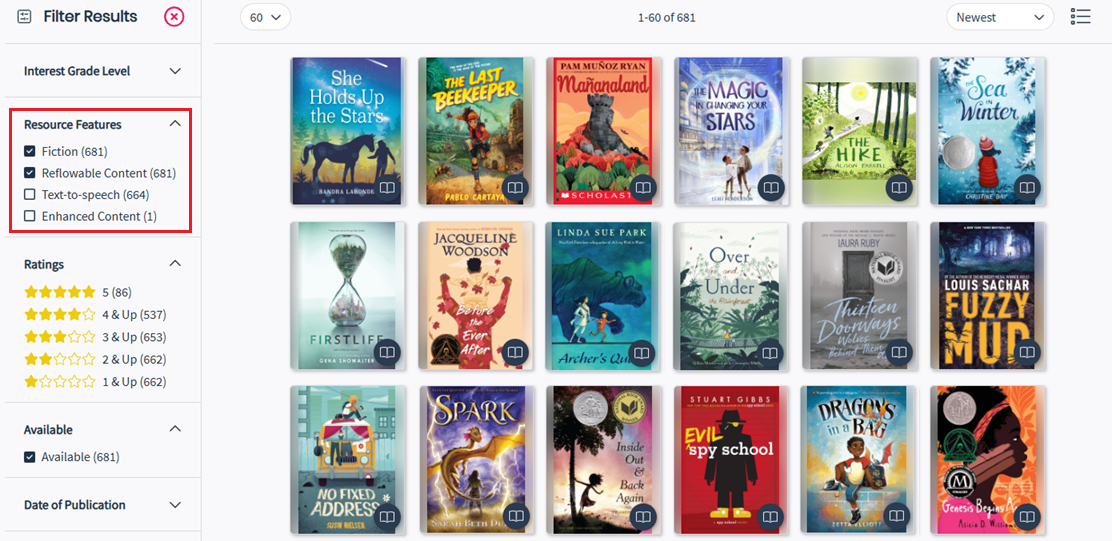
Advanced Search has been streamlined as well. Results will dynamically filter as parameters are selected. Each filter section is collapsible, and the order has been adjusted to move the most popular ones to the top of the page. Additionally, users can now select more than one feature at a time such as Fiction and Reflowable Content.
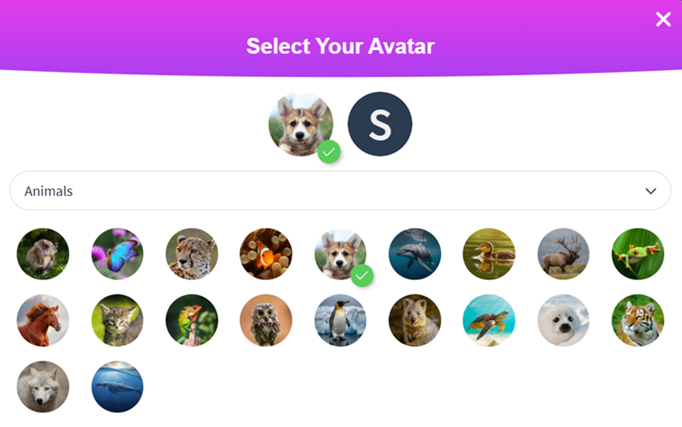
Avatars – An exciting new feature is the ability for students and staff to select a fun avatar image from a variety of options.
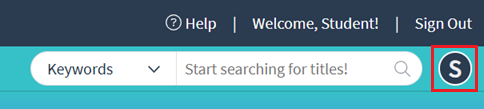
Click on the icon in the upper right corner to access the Profile page. The avatar defaults to the initial of the first name in the Backpack.
From the Profile, click on the Edit button next to the icon. A new window will showase all images available for the avatar by category. Click on the dropdown menu to navigate between the categories.
Select a new image. The new avatar will display at the top with a green check mark.
Bookmarks – Easily see bookmarks for a resource in the new Bookmarks tab on the Resource Details page. Click on a bookmark to access the saved location within the title.
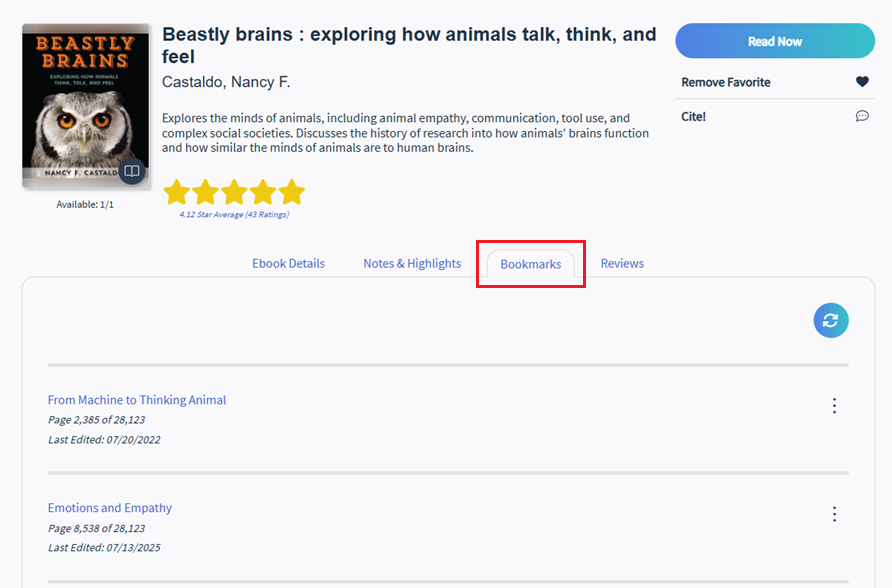
Reader update – The MackinVIA Reader has also been optimized for better performance, while supporting the same functionality. Please note: The Reader now opens in the same tab as the platform, allowing for a more consistent experience between desktop and mobile views.
MackinVIA Admin
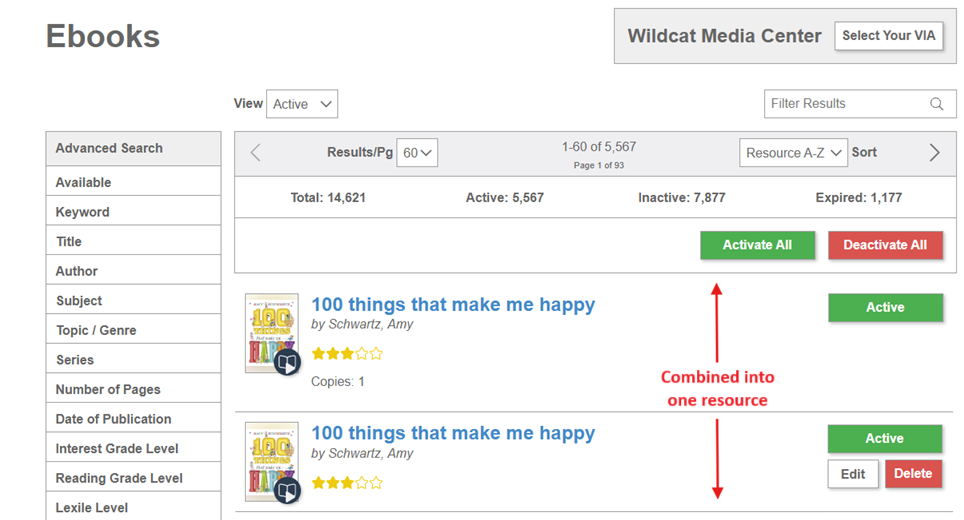
Combining Licenses/Purchases of Same Title – Instead of showing multiple licenses/purchases of the same title as separate items, we combined these versions into a single resource. Both administrators and students/staff will now only see one resource instead of multiple options, making it easier to find and access resources.
Notes:
- Purchases from different entities will be combined, whether purchased at the consortium, district, or school level.
- Different license types of the same title will also be combined. If a MackinVIA account includes both multi- and single-user versions of a title, it will display as one resource.
- Titles from different publishers will not be combined. Each version will have its own resource. Additionally, new editions will have their own resources.
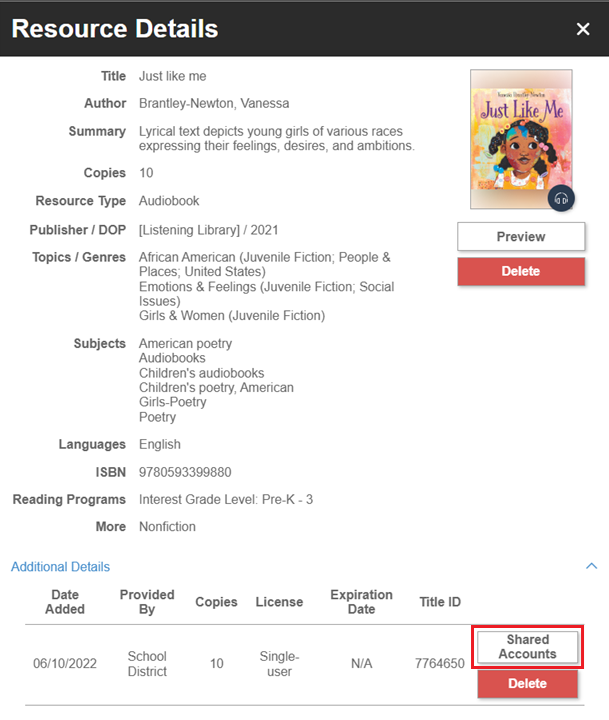
To view all licenses/purchases associated with a resource, a new section is present on Resource Details under “Additional Details”. It contains information such as date added, provided by, number of copies, license type, expiration date, and the Mackin title ID.
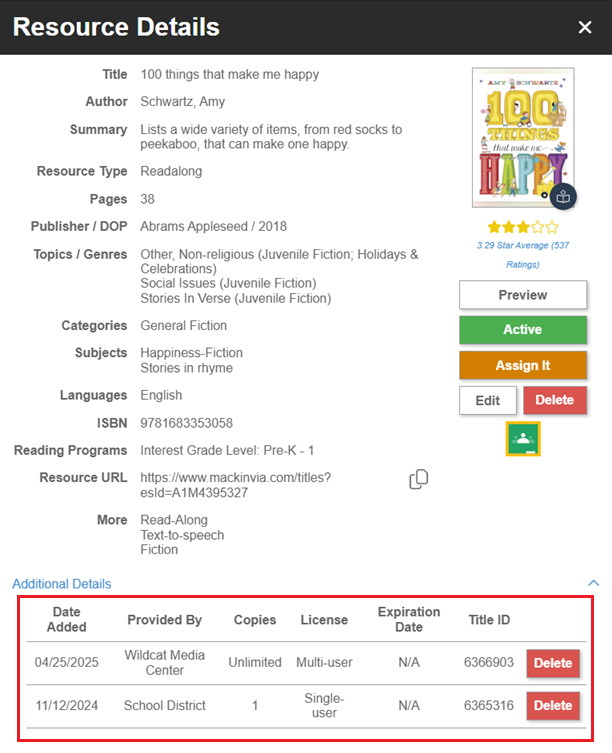
The only action available for individual licenses/purchases is “Delete”; all other actions are available at the resource level. Please note: New purchases will be added to an existing resource, so a resource may need to be reactivated or restored if previously made unavailable.
Lastly, the resource URL has been updated with a new identifier to support combining versions of the same title. MARC records will continue to use the previous URL format with the Mackin title ID in the 856 tag. All corresponding title IDs will map to the new identifier, which ensures students and staff are directed to the correct resource, no matter which URL is used.
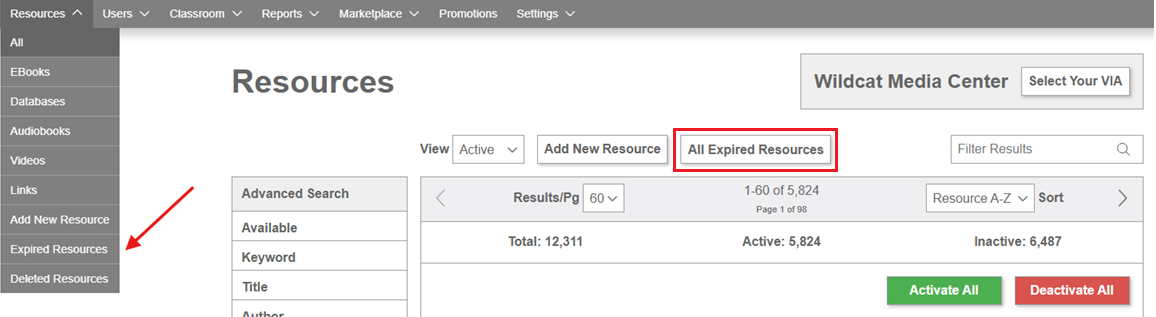
Expired Resources – Resources where all licenses/purchases have expired will be display on a new page, separate from current resources. To access these resources, simply select the “Expired Resources” option from the Resources menu or click on the button from the Resources page.
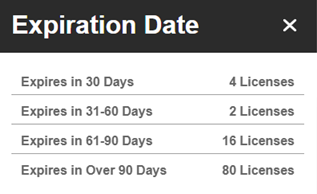
Additionally, a new Advanced Search filter for “Expiration Date” has been added to the Resources page. A resource may have both current and expired licenses (purchases). This new filter allows administrators to view resources with licenses expiring in the future. Filter options mirror the ranges present in the monthly subscription renewal notice.
Usage Reports – Multiple versions of the same title will also show as one resource on the “Location” report, and license/purchase information will be merged.
- Date Added will be the date the resource was first added to the MackinVIA account.
- Copies will be the sum of all licenses/purchases.
- License and access type will favor multi-user and perpetual if there are different versions.
- For Mackin-hosted resources, checkouts will include online reads.

We’ve added a new column for “Avg. Req Wait Time” to this report as well. This displays the average time in the request queue before the resource is available to check out. (Example: 0 Days 03:16:00 (Hours : Minutes : Seconds))
Other
- ISBN is included in Resource Details and can be searched as a keyword.
- VIA Theme options have been updated to the new Bright and Colorful theme, which will be the default, and the Modern theme. Any accounts using previous themes that are no longer supported will be transitioned to the Bright and Colorful one.
- EBook Deep Discovery Search will not be available as part of this release and will be revisited later.
Shared Collection Management – Licenses/purchases of the same title will also be combined for resources at the district or consortium level. The new “Additional Details” section is present on Resource Details for these resources. Administrators will see the option to view “Shared Accounts” for each license as different purchases may be shared with different schools. The Edit functionality is no longer available at this level; each school now has their own copy of the shared resource, allowing school administrators to edit the record if desired.
Additionally, multiple versions of the same title will show as one resource on the shared collection usage report, and license/purchase information will be merged.
- Date Added will be the date the resource was first added to the MackinVIA account.
- Copies will be a sum of all licenses/purchases.
- License and access type will favor multi-user and perpetual if there are different versions.
- Subscription start date will be the earliest start date of all purchases.
- Subscription end date will be the latest end date of all purchases.
- For Mackin-hosted resources, checkouts will include online reads. Views and requests may be inflated if schools have additional purchases of the same title.